Mobile app · Android
ArmyTrader V5 app
A remote-control app to view and operate NinjaTrader 8 + JAMES SB running on your home PC. The app is free.
Google Play · Coming soonSignal membership
The download link will appear here once the Google Play release is confirmed. An iPhone version will come later.
Free features and member-only features
Free
App and charts
- Downloading and using the app is free.
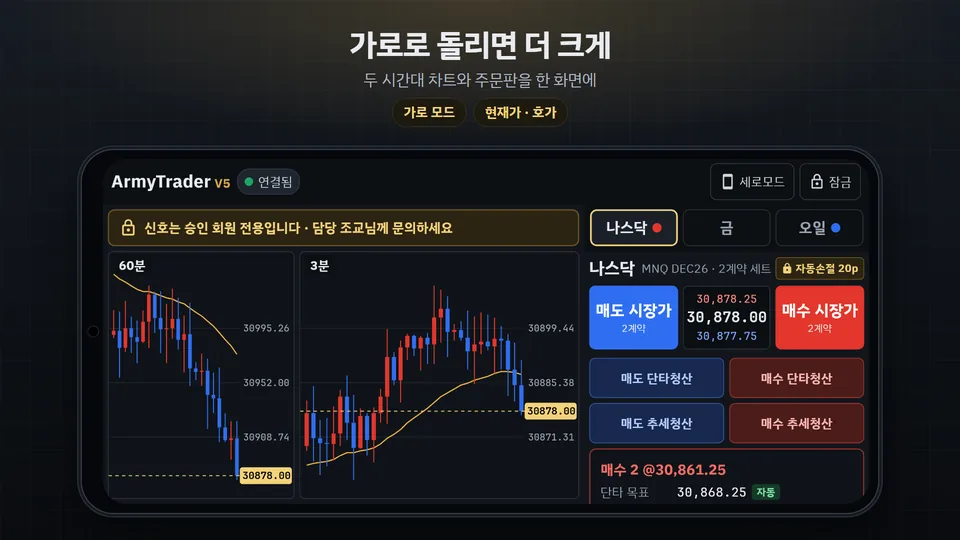
- Live Nasdaq · Gold · Oil charts (3-min and 60-min) through your own PC.
- Positions, targets and recent fills; turn automatic features on/off; send instructions (executed by your PC).
- No in-app payments and no ads.
Approved members only
Signal features
- On-chart signals and voice alerts are available only to members approved by JAMES INVESTMENT GROUP.
- Other accounts simply see “Signals are for approved members only”.
- See Membership for details.
What you need
- A Windows PC with NinjaTrader 8, the ArmyTrader V5 chart and JAMES SB installed
- Your home PC must be on and online while you use the app (it does the chart calculations and orders).
- Your Member ID and personal key (V5 license key)
- An Android phone
The app does not place orders by itself. It passes your instructions to your own home PC, which places orders in your own account. We never hold member funds.
Screens
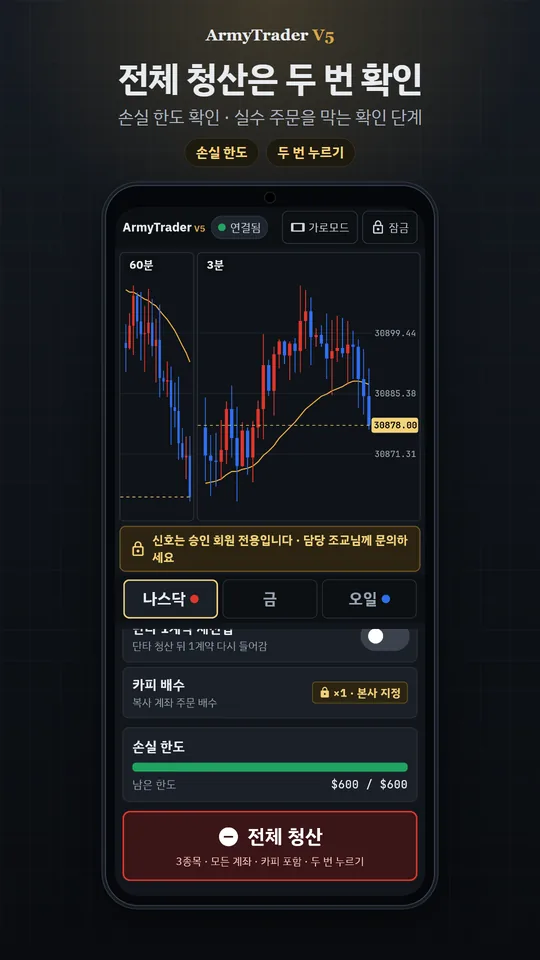
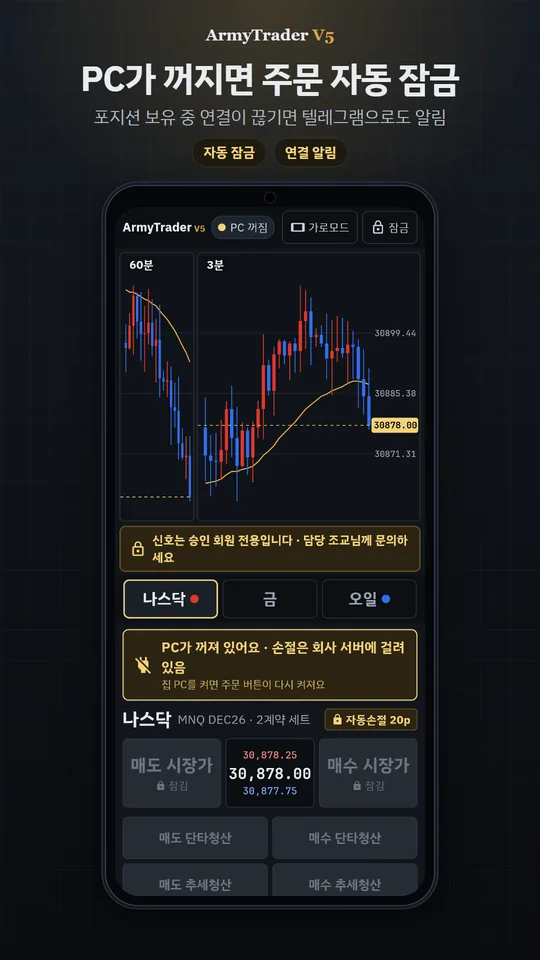
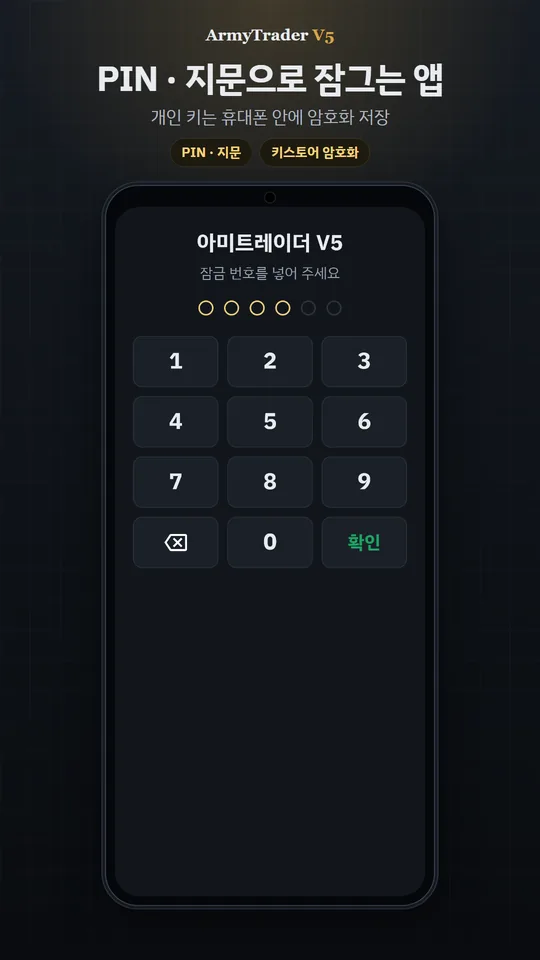
Public example screens (signals hidden). The app is in Korean.
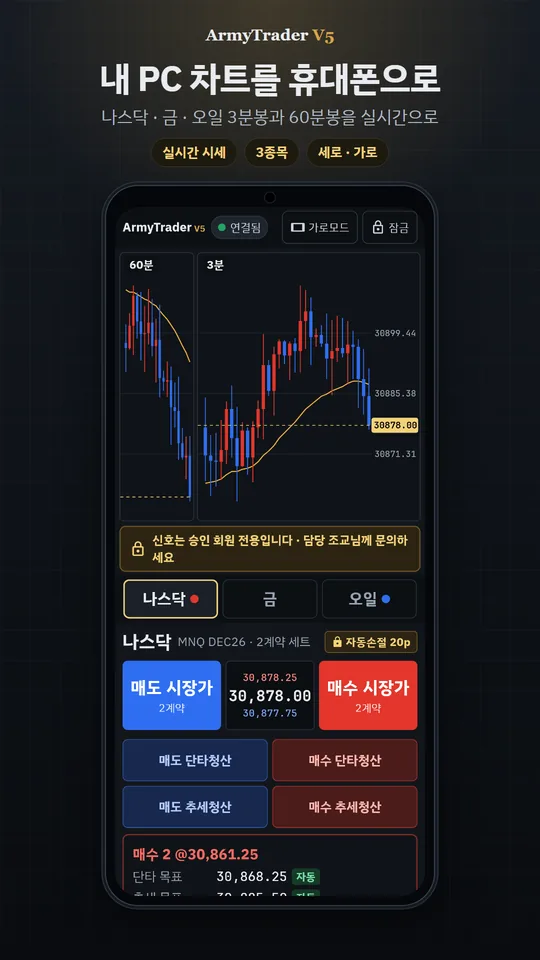
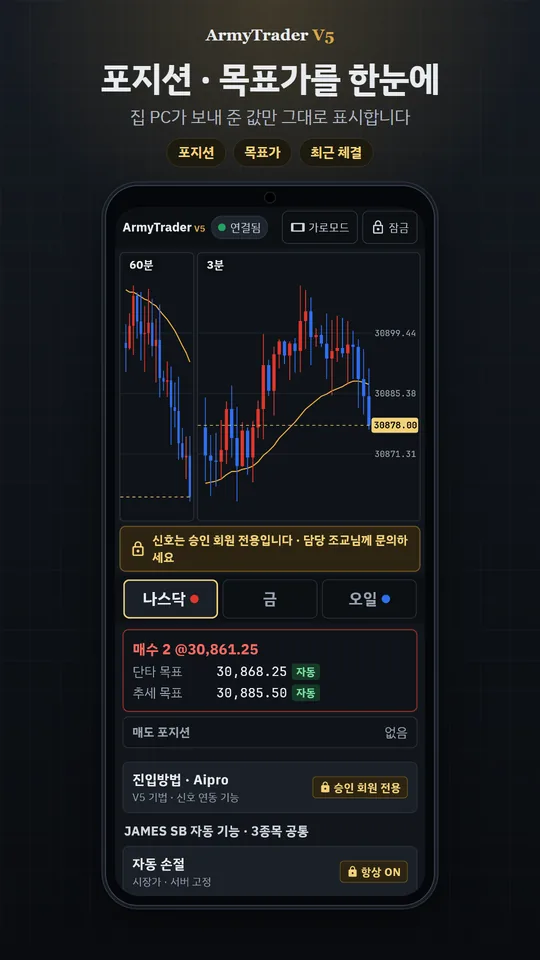
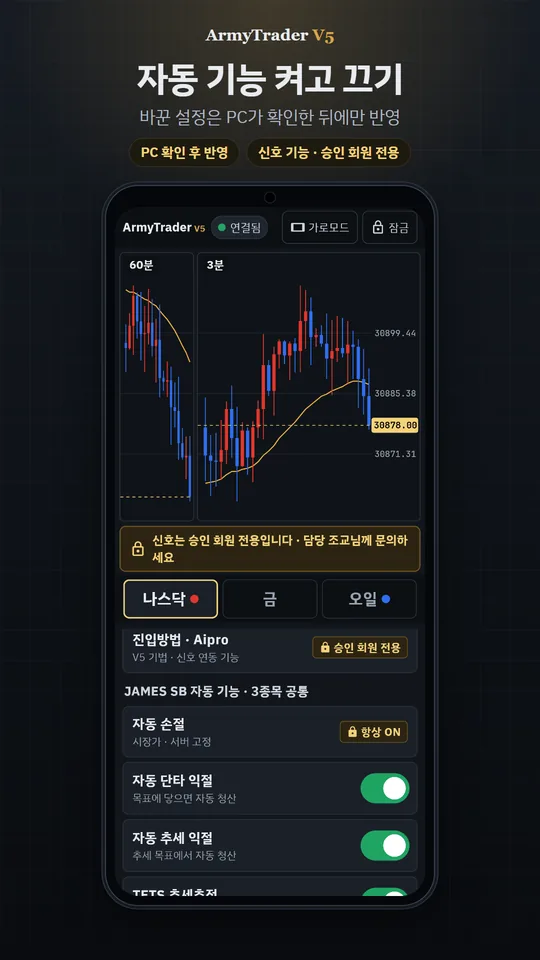
Safety features
- Lock the app with a PIN or fingerprint. Five wrong PINs erase the key stored on the phone.
- Your personal key is encrypted on the phone; our server never stores it in plain form.
- If your home PC turns off or disconnects, order buttons lock automatically.
- Close-all requires two taps, and your loss limit is shown on screen.
- Setting changes appear only after your home PC confirms them.
See our Privacy Policy and Account & data deletion page.